
Patient Claim
Lodge a patient claim for instant reporting
Lodge a Patient Claim
Billumbra connects to the Electronic Claim Lodgement and Information Processing Service Environment (ECLIPSE) so you can double-check anaesthetic patients before you submit claims.
Get Started (Video)
Select Patient Record
Click on patient in the calendar view to open the patient's record.
Click the Dropdown Button
Click on the down arrow to view options [ChevronDown]
Click Lodge Patient Claim
This will lodge a patient claim in real time
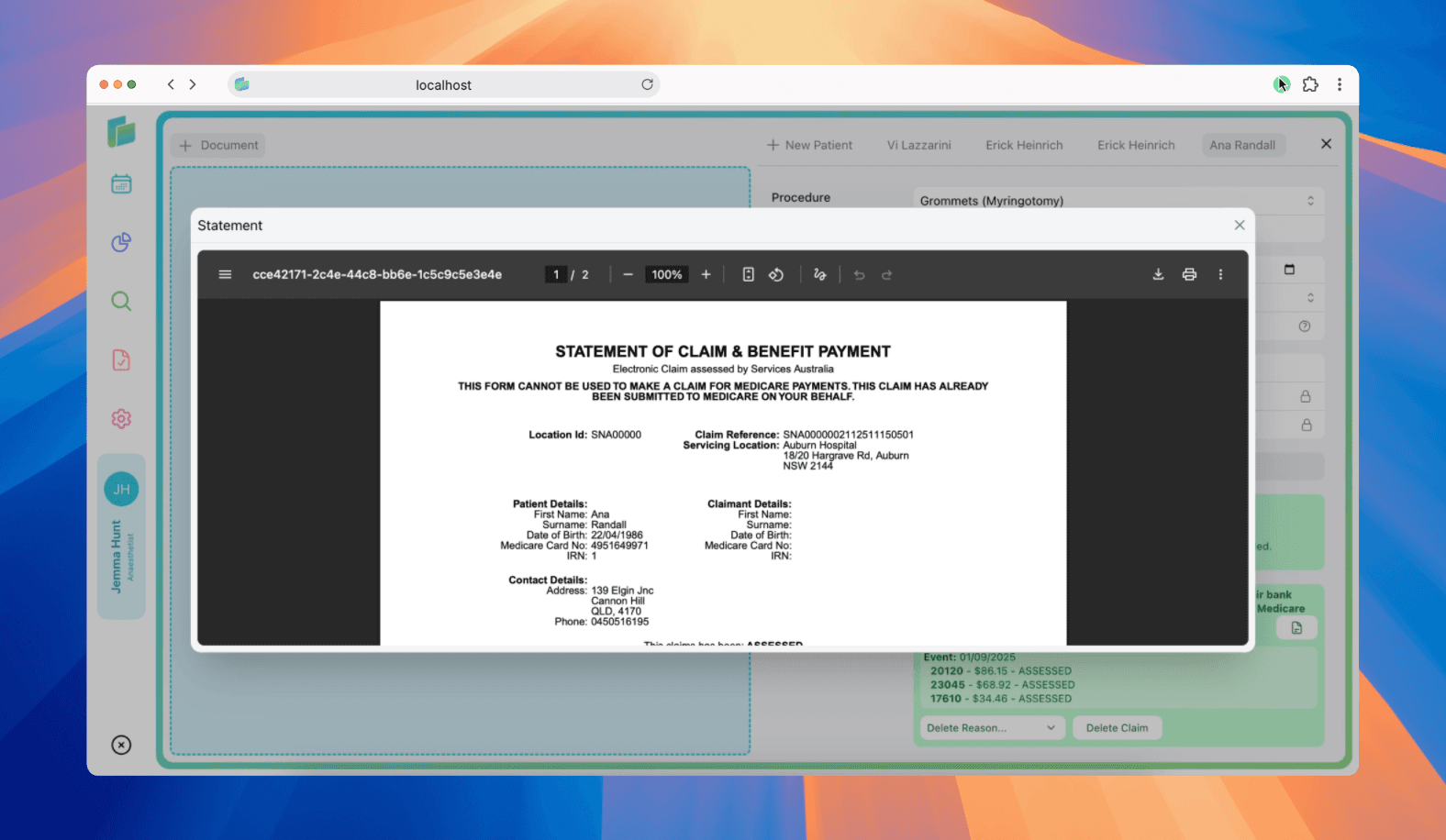
View Statement of Claim and Benefit or Lodgement Advice
A Statement of Claim and Benefit is provided to the claimant when a Patient Claim has been lodged in real time, processed by the agency and a benefit amount returned to the claimant.
A Lodgement Advice is provided to the claimant when a Patient Claim has been lodged in real time and referred to an agency operator for action.
Select Patient Record
Click on patient in the calendar view to open the patient's record.
Click the document icon in the claims section
The document icon will open a window for the statement of Claim and Benefit or Lodgement Advice
Understanding claim statuses
When you lodge a patient claim, Billumbra returns one of these statuses:
| Status | What it means |
|---|---|
MEDICARE_ASSESSED | Claim successfully processed and benefit paid. View the Statement of Claim and Benefit for payment details. |
MEDICARE_REJECTED | Claim was rejected. See error codes below for specific reasons. |
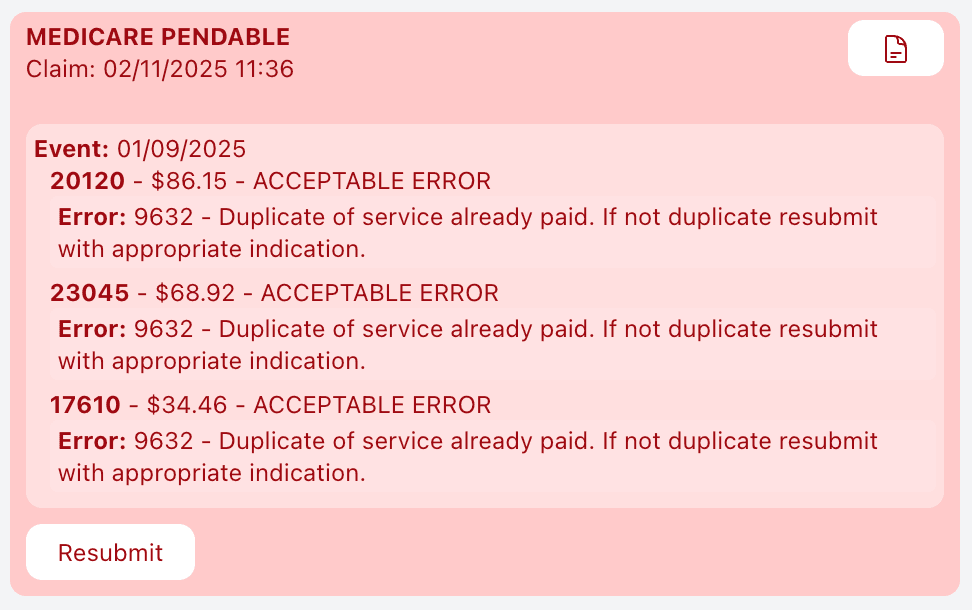
MEDICARE_PENDABLE | One or more items need manual review. You have 60 minutes to amend and resubmit. |
MEDICARE_PENDED | Claim referred to Medicare operator for assessment. You'll receive a Lodgement Advice instead of immediate payment. |
If status shows MEDICARE_ASSESSED with error code 9783, the claim was successful but the claimant doesn't have valid bank details registered with Medicare. Payment will be delayed until bank details are updated.
Troubleshooting claim errors
Claim-level errors
When an error occurs at the claim level, Billumbra returns the error code and text explaining the issue. Common causes:
- Invalid Medicare card details: Card number or reference number doesn't match Medicare records
- Patient eligibility issue: Patient not eligible for the service claimed
- Missing required information: Bank details, provider number, or other mandatory fields are incomplete
What Billumbra returns: Only claim-level objects with the error code and description.
Service-level errors
When an error occurs at the service level, you'll see which specific item caused the problem:
- Invalid MBS item number: Item not recognized or not eligible for the patient
- Incorrect date of service: Service date outside allowable claiming period
- Charge amount issue: Charge doesn't align with MBS rules
What Billumbra returns: All objects (claim, medical event, and service) with error codes at the service level.
Service-level errors return the assessment code with the problem. Common codes include specific MBS restriction violations or eligibility failures.
Assessment codes explained
Billumbra displays one of these assessment results for each service:
| Assessment Code | Meaning |
|---|---|
ASSESSED | Service approved and benefit calculated |
NOT_ASSESSED | Service couldn't be assessed (see error code) |
ACCEPTABLE_ERROR | Minor issue that doesn't prevent payment |
UNACCEPTABLE_ERROR | Serious issue requiring correction and resubmission |
NNN (3-digit code) | Specific Medicare reason code explaining the outcome |
When benefitPaid is returned, it shows the exact benefit amount in cents. If blank or zero, no benefit was approved for that service.
Handling pendable claims
When a claim returns MEDICARE_PENDABLE, one or more items need assessment by a Medicare operator.
You have 60 minutes to review and either amend the claim or let it process as-is.
Check flagged items
Billumbra highlights which services triggered the pendable status.
Amend Details
- Amend: Update item numbers, add service text, or adjust details
Resubmit if amended
Click Resubmit to send the updated claim. Status changes to MEDICARE_PENDED while Medicare manually processes it.
Resubmitting rejected claims
Find the error
Open the claim and review the error code and description Billumbra displays.
Fix the root cause
- Update patient Medicare card details
- Change the MBS item number to a valid code
- Adjust the service date or charge amount
- Complete missing required fields
Lodge the corrected claim
Return to the patient record and lodge a new claim. Billumbra generates a fresh claim ID and submits for real-time assessment.
Corrected claims are assessed immediately. You'll receive a Statement of Claim and Benefit if approved.
Tracking patient payments
Billumbra automatically calculates payment status based on what the patient has paid toward the claim total.
| Payment status | When it shows |
|---|---|
Paid Full | Patient payment equals the total claim amount |
Partially Paid | Patient has paid some amount less than the total |
Not Paid | No patient payment recorded |
Where to record payments
You can update patient payments in three places:
- Procedures screen: When reviewing the case
- Patient invoices: From the billing dashboard
- Bank/card transfers: When processing payments directly
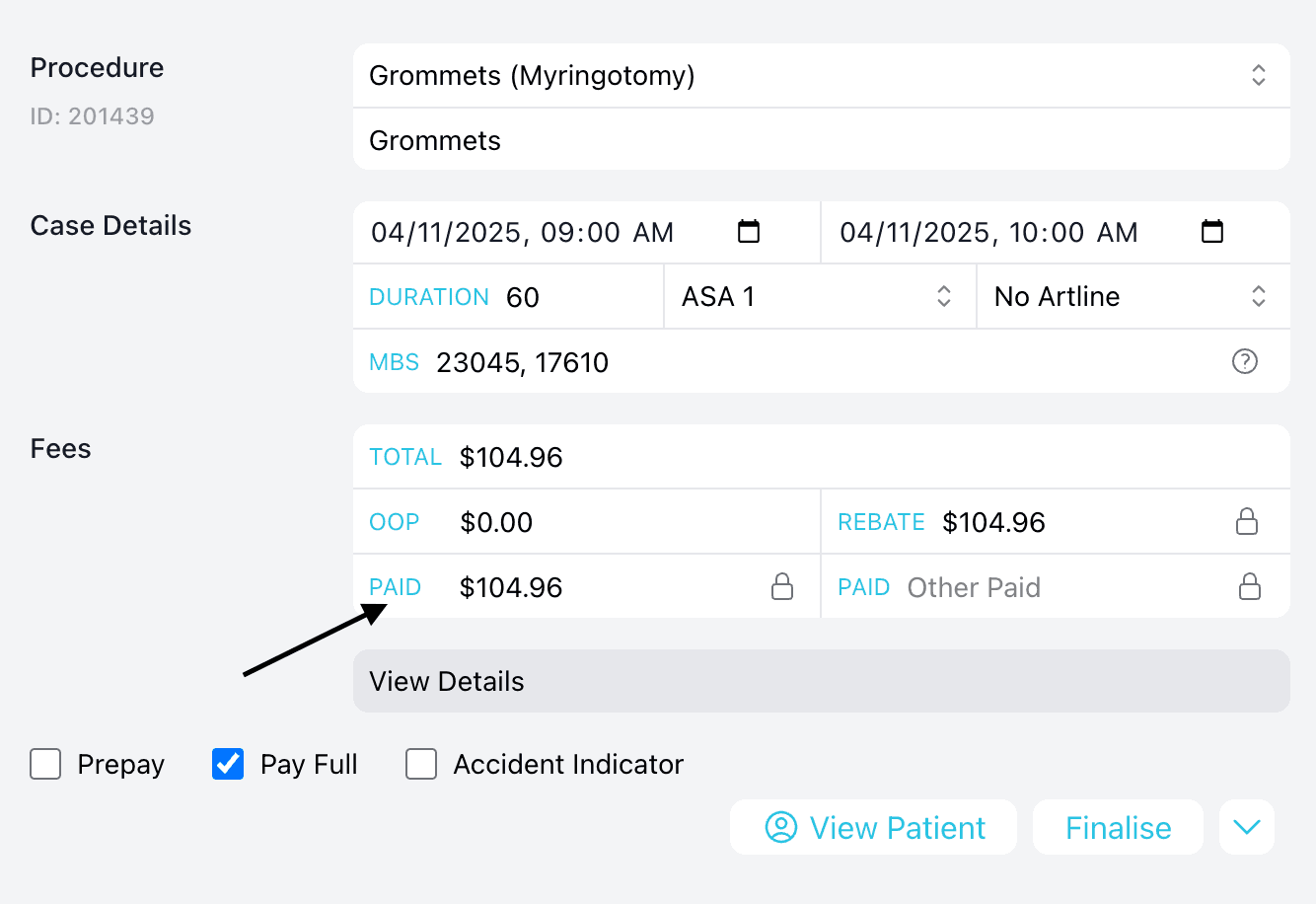
Billumbra updates payment status automatically as you record transactions. No manual recalculation needed.
Same Day Delete
You can delete a claim on the same day it was submitted.
Select Patient Record
Click on patient in the calendar view to open the patient's record.
Select reason from dropdown
Click on the dropdown field and select a reason from:
- Incorrect Patient
- Incorrect Provider
- Incorrect Date of Service
- Incorrect Item Number
- Omitted Text on Original Claim
- Incorrect Payment Type
- Other
Click Delete Claim
This will submit a delete request for the claim.
