
Device Activation
Register your B2B device and generate a one-time security code
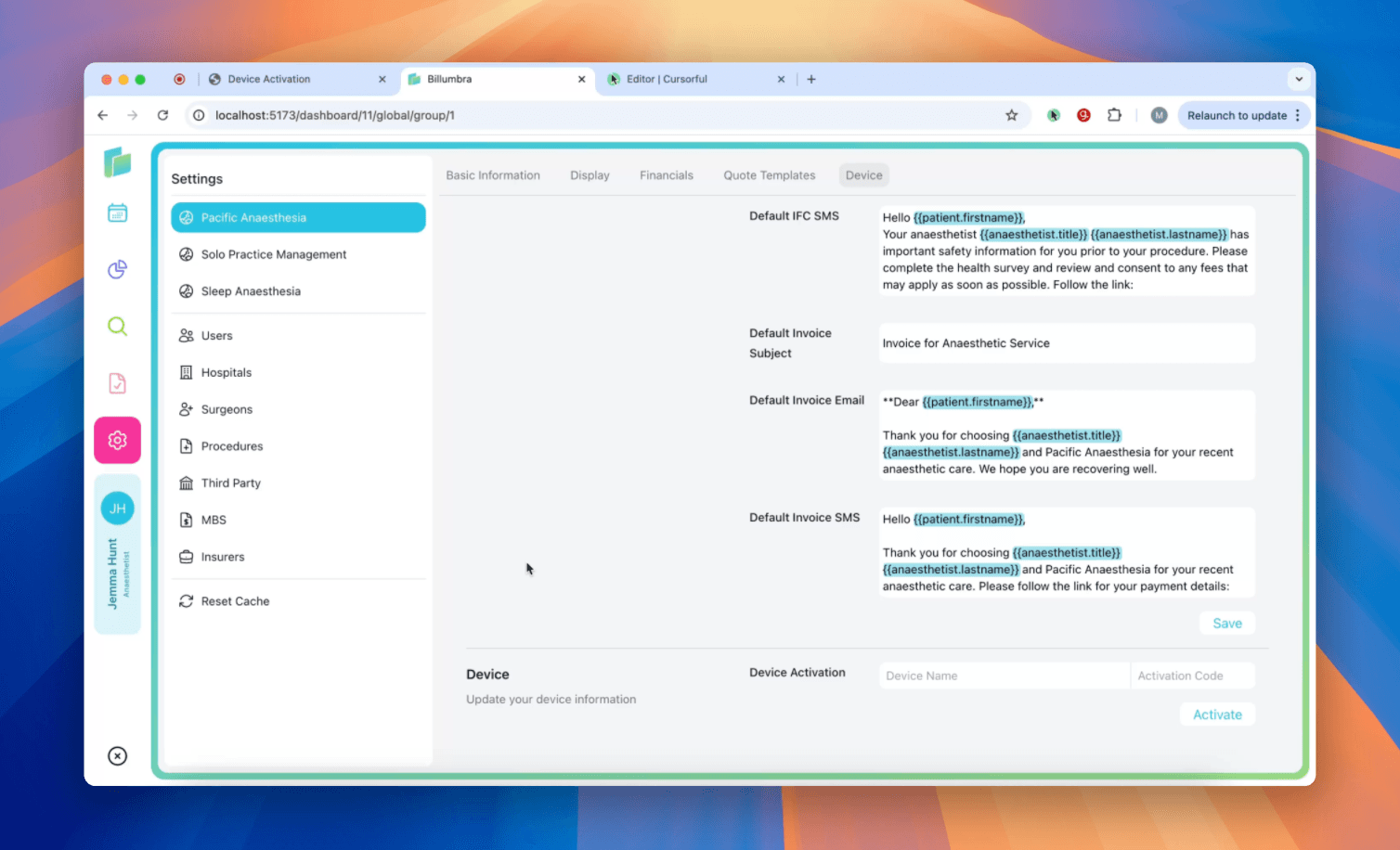
Device Activation
Billumbra requires a registered B2B device to connect with Medicare ECLIPSE services. Follow these steps to generate an activation code in PRODA and link it to your Billumbra account.
Step 1: Register and generate an activation code in PRODA
Log in to your PRODA account
You must have a PRODA account to complete this setup. If you haven't registered yet, visit the PRODA website to create one.
If you haven't registered your business as an organisation in PRODA, follow the Services Australia guide to do so.
Navigate to B2B Devices
Go to Organisations, select your organisation, then click B2B Devices. You must have Medicare linked as a service provider.
Find more details on adding service providers.
Register a new B2B device
In the B2B Devices section, click Register New B2B Device.
Enter a device name and generate the code
Choose a unique device name for your organisation. Device names are case-sensitive. Click Register Device to generate the activation code.
Record the device name and activation code
Copy both exactly as they appear.
The activation code is typically valid for only 7 days and will not be stored after you leave the page.
Step 2: Activate the device in Billumbra
Open Settings
Click the pink gear icon on the left side of the screen.
Select your anaesthetic billing group
Each group requires a unique device. Have your PRODA RA (Organisation ID) ready.
Enter device credentials
Scroll to the bottom of the settings page and enter the Device Name and Activation Code exactly as copied from PRODA.
Once activated, your device will be able to submit claims and perform patient verifications through ECLIPSE.