
Veteran Claim
Submit a veteran’s claim
Get Started
Select Patient Record
Click on patient in the calendar view to open the patient's record.
Click the Dropdown Button
Click on the down arrow to view options
Click Lodge DVA Claim
This will lodge a DVA Claim
You will need the veteran number to lodge the claim
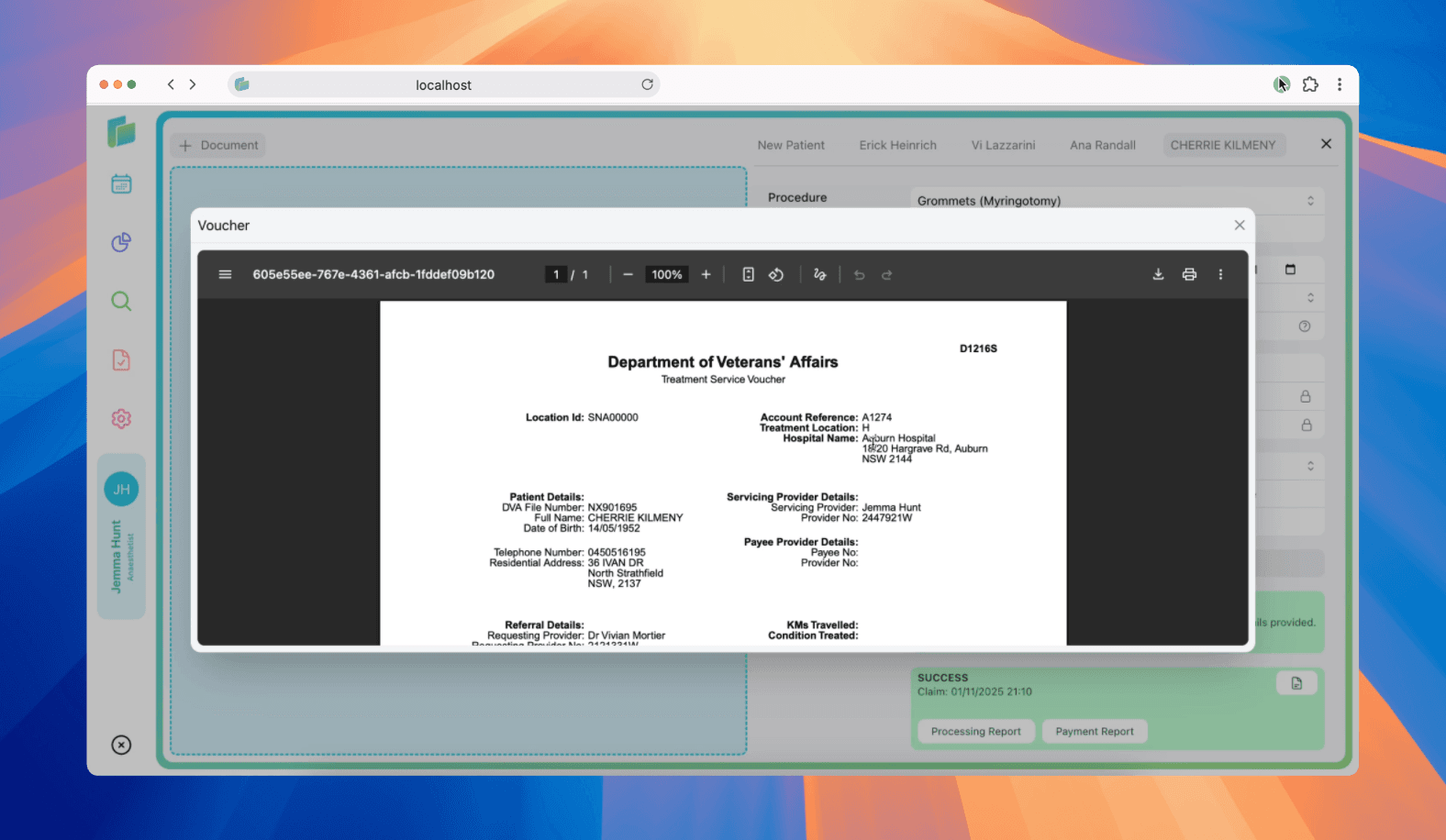
Click Document Icon to display Voucher
This will display the D1216S Treatment Service Voucher to print or download
Understanding claim responses
When you submit a DVA claim through Billumbra, Services Australia generates a unique Claim ID and returns a status:
| Response field | What it means |
|---|---|
status | Indicates transmission result (e.g., SUCCESS) |
claimId | Unique identifier assigned to your claim |
Claim ID format
Services Australia generates Claim IDs in this format:
- Prefix (1 character):
A-Z= Out-of-hospital & in-hospital non-Pathology services (e.g.,A1234@)#= In-hospital Pathology services (e.g.,#9876@)
- Numerics (4 digits)
- Suffix (1 character): Always
@
Multiple payee providers submitting claims for the same location on the same date may share the same Claim ID. For example, Provider A: A0001@, Provider B: A0001@.
Troubleshooting DVA claims
Transaction ID already exists
| Error code | Issue | How to fix |
|---|---|---|
9777 | Transaction ID has already been received | This claim is a duplicate. If you need to resubmit, generate a new unique Transaction ID. No further processing will occur for the duplicate. |
Daily claim limit exceeded
| Error code | Issue | How to fix |
|---|---|---|
3004 | More than 2,500 claims submitted in one day | Wait until the next day to submit additional claims from the same Payee Provider and Location ID. |
This limit applies to the combination of Payee Provider and Location ID. Different providers at the same location each have their own 2,500 claim daily limit.
Important claiming information
Distance travelled (KM claims)
DVA pays travel costs when you treat a veteran at their home or residence, away from your normal practice:
- Include a special service line immediately after the attendance/service item
- Set
itemNumbertoKM - Leave
chargeAmountblank - Populate
distanceKilometreswith the full distance travelled (return trip)
Example: Home visit for consultation, travelled 15km return:
- Line 1: Consultation item (e.g., item 1)
- Line 2:
KMitem with distance = 15
For more details on travel claiming rules, refer to the DVA provider website.
DVA fee schedules
Billumbra automatically uses current DVA fee schedules. Updates and corrections are regularly applied from DVA software vendor files.
Billumbra permits submission of items not listed on public DVA schedules. DVA regularly approves payment for unlisted services.
Patient details corrected (Reason Code 249)
If a service is endorsed with Reason Code 249:
- The veteran's file number you quoted was incorrect
- DVA has processed the claim using the correct file number
- Update your records immediately to avoid future rejections
Mixing referral and request services
When lodging specialist claims, you can include services requiring both referrals and diagnostic imaging requests in the same claim:
- Include referral details at the Medical Event level
- Add relevant service-level details for each item
- Note: Pathology requests must be submitted separately